
The best aspect ratio is the one designed before scene generation. Cropping a finished widescreen music video into a vertical frame can remove faces, captions, instruments, or the action that makes the shot work. Choose the format at the beginning of the music-video production workflow.
AIMusicVideo supports 16:9 and 9:16 production choices. Treat each format as its own composition when the release matters rather than assuming one automatic crop will fit every platform.
Use 16:9 for the primary YouTube music video
A 16:9 frame is the natural choice for a conventional YouTube watch page, television display, cinematic locations, bands, dance groups, and wide camera moves. A common HD delivery is 1920 × 1080; 1280 × 720 is a smaller 16:9 option.
Keep essential titles and faces away from the extreme edges so the video remains usable in embeds and interface overlays.
Use 9:16 for TikTok, Reels, and Shorts
A vertical 9:16 composition fills a phone screen. A common delivery size is 1080 × 1920. Frame the performer larger, simplify side-to-side blocking, and keep important action near the center.
Platform controls and captions can cover the upper and lower edges. Review a real upload preview before publishing promotional text or lyrics close to those areas.
Use 1:1 selectively
Square video can work in feeds, profile grids, cover-style loops, and promotional posts. A common size is 1080 × 1080. It gives less vertical room than 9:16 and less environmental width than 16:9, so prioritize one subject and a clean graphic hierarchy.
Do not rely on a blind crop
A center crop from 16:9 to 9:16 removes most of the horizontal frame. It can work for a centered close-up but often fails on two-person scenes, off-center performers, wide choreography, text, and location reveals.
- Choose the output ratio before generating storyboard images.
- Keep critical faces and actions inside a central safe composition when multiple formats are planned.
- Generate or reframe vertical scenes intentionally for important releases.
- Check lyric text at actual phone size, not only on a desktop monitor.
Plan a master and promotional cut
A practical release package often uses one 16:9 full-song master plus selected 9:16 promotional scenes. The vertical clips do not need to reproduce every wide shot; they should preserve the hook, performer, and most recognizable visual idea.
Create the alternate ratio from the approved storyboard direction so character identity, wardrobe, and color remain connected across versions.
Frequently asked questions
What size should a YouTube music video be?
Use a 16:9 frame for the standard YouTube watch experience. Common HD sizes include 1920 × 1080 and 1280 × 720.
What size should TikTok, Reels, and Shorts use?
Use a vertical 9:16 frame. A common delivery size is 1080 × 1920, with important faces, lyrics, and action kept away from interface-covered edges.
Can I crop one widescreen video for every platform?
Sometimes, but wide scenes and off-center subjects often break in a center crop. Important vertical releases are better composed or regenerated intentionally.
Example videos
Finished theme music videos — click a card to watch.
 Video
Video
A poetic, cinematic music video. The setting is a pristine alpine landscape with a mountain lake, lush green meadows, and majestic peaks. A young woman (Sunset Rider) and her brown and white paint horse are the only subjects. The mood transitions from a peaceful, misty morning to a powerful, golden sunset. In the bridge, the sky darkens with dramatic clouds and strong wind, hinting at fragility and change without showing a catastrophe. The ending returns to warm, hopeful evening light. Extreme wide shots, emotional close-ups, and a deep connection between the woman, the horse, and the earth. No urban elements, no modern buildings
 Video
Video
CREATE A CINEMATIC, ULTRA-PHOTOREALISTIC SHORT FILM FOR THIS SONG. CORE STORY: This song is a serious warning and life lesson from the SELECTED MALE CHARACTER to the SELECTED FEMALE CHARACTER. The man sees that the woman is emotionally hurt because she trusts the wrong people too easily. He warns her not to believe everyone, not to be fooled by fake affection, not to become deeply attached to people who may hurt or deceive her, and to remove dishonest people from her life. The woman gradually understands his advice, recognizes the false people around her, distances herself from them, and becomes emotionally stronger by the end. IMPORTANT: The male and female characters are NOT a romantic couple. The man is a trusted person giving sincere advice and warning her. Do not create flirting, kissing, hugging, romantic intimacy, jealousy, or a love story between these two characters. CHARACTER LOCK: Use the EXACT SELECTED MALE CHARACTER and EXACT SELECTED FEMALE CHARACTER throughout the entire film. Never replace them with random actors. Their faces, facial structure, skin, eyes, hair, hairstyle, age, body proportions and overall appearance must remain IDENTICAL in every scene. Keep their main clothing consistent across consecutive scenes. Clothing may change ONLY when the story clearly moves to another day or an intentional flashback. Never randomly change hairstyle, beard, makeup, clothing or accessories. PERFORMANCE RULE: THIS IS A NARRATIVE FILM, NOT A PERFORMANCE MUSIC VIDEO. NO ONE sings the song. NO lip-sync. NO microphones. NO stage. NO band. NO instruments. NO concert. NO dancing. NO posing toward the camera like music-video performers. Characters behave like actors inside a serious feature film. Use subtle, realistic facial expressions, eye movement and body language. Avoid exaggerated crying, theatrical gestures or melodrama. STORY STRUCTURE: OPENING: Begin at night in a realistic modern city after light rain. Wet pavement reflects natural streetlights and passing traffic. The selected woman walks alone among other people. She looks emotionally exhausted and distracted, not dramatically crying. She checks her phone and sees messages connected to people who have disappointed or deceived her. Her expression quietly changes. The selected man notices her condition. He approaches calmly because he knows her and genuinely cares about her wellbeing. He sees that something is wrong. They stop somewhere naturally within the city environment and have a serious conversation. We do NOT hear dialogue. Their realistic expressions and body language tell the story while the song represents the man's advice to her. VERSE 1 — “Sorarlar sana derdin ne? / Toparlan, gel kendine / Olur olmazlar yine / Bak, üzerler seni”: Show the man calmly warning her and encouraging her to regain control of herself. The woman initially looks hurt, confused and emotionally tired. The man is serious but compassionate, never aggressive. He is essentially telling her: stop allowing unreliable people to hurt you. FIRST CHORUS — “İnanma, kanma / Sen de yanma / Dert edip kendine / Seviyor sanma”: Intercut their present conversation with SHORT, CLEAR FLASHBACKS showing why his warning matters. In flashbacks, show the woman previously trusting people who appear friendly and sincere to her face but behave differently when she is not watching. Show believable examples of false friendship and deceptive affection. A dishonest man may appear caring toward her but secretly behave differently around other people. Friends may smile with her and then gossip or mock her after she leaves. Do NOT turn the entire story into a simple cheating scene. The theme is broader: false affection, dishonest friends, unreliable people and misplaced trust. “YALAN, HEPSİ YALAN / SENİ KANDIRIRLAR”: Make this the first major emotional realization. The woman begins connecting the man's warning with what she has experienced. Her expression changes from confusion to painful understanding. Keep acting restrained and realistic. VERSE 2 — “Bu dertler ağır, işler içine / Herkes bakar geçmişine / Sevme sakın böylesine / Kapılma kimseye delicesine”: Later, show the woman alone in a quiet realistic environment reflecting on her past. She reviews old messages, photographs or memories. Use brief flashbacks of moments when she trusted people too deeply. Contrast apparently happy memories with subtle evidence that those relationships were not as genuine as she believed. The visual message must be: becoming blindly attached to people can leave deep emotional wounds. SECOND CHORUS: Return to the man's advice through visual memory while the woman begins making decisions for herself. She no longer simply suffers. She starts understanding which relationships are unhealthy and dishonest. VERSE 3 — “Çıkar hayatından yabancıları / Gördüğün o büyük yalancıları / Çekme tekrar eden acıları / Çok büyük olur sancıları”: This is the turning point. Show the woman deliberately removing dishonest people from her life. She ignores or rejects manipulative messages, distances herself from fake friends, and calmly walks away from people she now recognizes as dishonest. No screaming confrontation. No physical fight. No exaggerated revenge. Her strength comes from quietly choosing to leave. If someone tries to stop or call after her, she continues walking without turning back. FINAL CHORUS: Visually contrast the beginning of the film with the ending. At the beginning she was walking at night, emotionally exhausted, looking downward. Now transition toward early morning. The woman walks confidently with her head raised. Her expression is calm, stronger and emotionally free. The selected man sees her again from a natural distance. They make brief eye contact. He gives a subtle approving expression or small nod, showing that she understood his advice. She may respond with a very subtle natural smile, then continues on her own path. IMPORTANT: The man does NOT follow her. He
 Video
Video
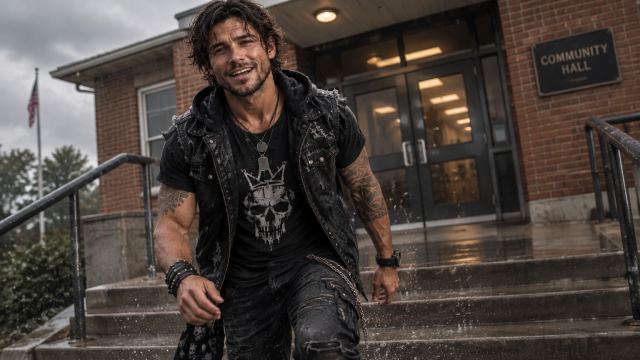
Create a realistic, cinematic and funny 3:07 rock music video for "We Make Chaos Look Good." Tell ONE continuous story starring Mason, not a random performance montage. The humor is rebellious, playful and believable. Match story beats to the song's vocals, choruses, instrumental passages and final beat. MASON: Use his uploaded character reference for his exact face, hair, build, black rocker outfit and accessories. He stays the same man and wears the same clothes throughout. His personality is confident, mischievous, charismatic and effortlessly funny. ONE CONTINUOUS LOCATION: A modest, outdated American community hall and its parking lot, during overcast daylight with wet pavement. Inside: beige walls, tan tile floor, fluorescent ceiling lights, folding tables, metal chairs, cheap decorations, coffee station, bulletin board, American flag and low stage with black skirting, front stairs, stool and microphone. The front entrance faces the stage across the seating area. Keep the stage, doors, stairs, walls and furniture geographically consistent. Outside, always show the same building and parking lot. THE MANAGER: A stern middle-aged male hall manager, with one recognizable face and outfit. He takes rules far too seriously. His change from disapproval to dancing is a running joke. ACT 1 — ARRIVAL (approximately scenes 1–5): Mason approaches the hall, enters and discovers a painfully boring gathering. A few attendees sit silently at tables; one stares at a clock, another stirs coffee, someone seems half asleep. Mason notices the stage and microphone, gets a mischievous idea and climbs the front stairs. Start with restrained, awkward camera framing. ACT 2 — FIRST SPARK (approximately scenes 6–10): Mason starts performing on stage. The audience barely reacts at first. Gradually, one foot taps, one head nods and reluctant smiles appear. Show funny, subtle reactions. The room is NOT a full party yet. Mason steps away from the microphone and heads down the front stage stairs toward the audience. ACT 3 — CONFRONTATION (approximately scenes 11–15): The manager confronts Mason near the stage, upset about the disruption. He gestures seriously; Mason responds with a cheeky, relaxed attitude, not anger. The audience starts enjoying the confrontation. Mason returns UP the same front stairs, walks to the microphone and resumes performing. The manager struggles to regain control. ACT 4 — THE TAKEOVER (approximately scenes 16–20, ending near 2:08): The music becomes contagious. People clap, dance, laugh and move chairs aside. Awkward dancers become unexpectedly enthusiastic. The stern manager tries to resist, begins tapping along, then finally joins the party. The SAME hall transforms from lifeless to packed, warm and joyful through real people and practical lighting, not magic. By roughly 2:08, Mason has won the room over. ACT 5 — OUTSIDE (approximately scenes 21–27): During the final minute Mason leaves the stage and walks through the celebrating crowd to the entrance. Show a clear, connected path: stage, stairs, aisle, front doors, exterior. Attendees follow him out. The party spills into the SAME wet parking lot, beside the SAME building under the SAME overcast daylight. The group keeps dancing and laughing. This should feel like the celebration has naturally overflowed, not a new unrelated scene. ACT 6 — POLICE AND PUNCHLINE (approximately scenes 28–30): Police vehicles arrive with flashing lights. Everyone notices and scatters in a funny, chaotic scramble. Mason, completely unfazed, gives a subtle amused reaction and casually walks away as if nothing happened. End with Mason calmly leaving the commotion behind, timed to the final musical beat. FILMING AND CONTINUITY: Realistic cinematic photography, natural movement, convincing expressions, playful physical comedy and accurate singing synchronization. When a shot begins during vocals, Mason sings from its first frame; do not have him sing during instrumental sections. Increase camera energy as the crowd gets livelier. Preserve Mason's exact identity, the manager's appearance, the hall's layout, the weather, wardrobe and logical movement between scenes. Grow the audience's excitement gradually. No fantasy effects, warehouses, unrelated locations, sudden nighttime shots, random costume changes or disconnected montages. Prioritize one coherent story and its funny ending
Example characters and storyboard frames
Theme characters from the AIMusicVideo.com gallery.
 Frame
Frame
A 16:9 master gives stages, groups, landscapes, and horizontal camera movement room to breathe.
Frame
A strong centered performer leaves more options for separate vertical and square versions.
 Frame
Frame
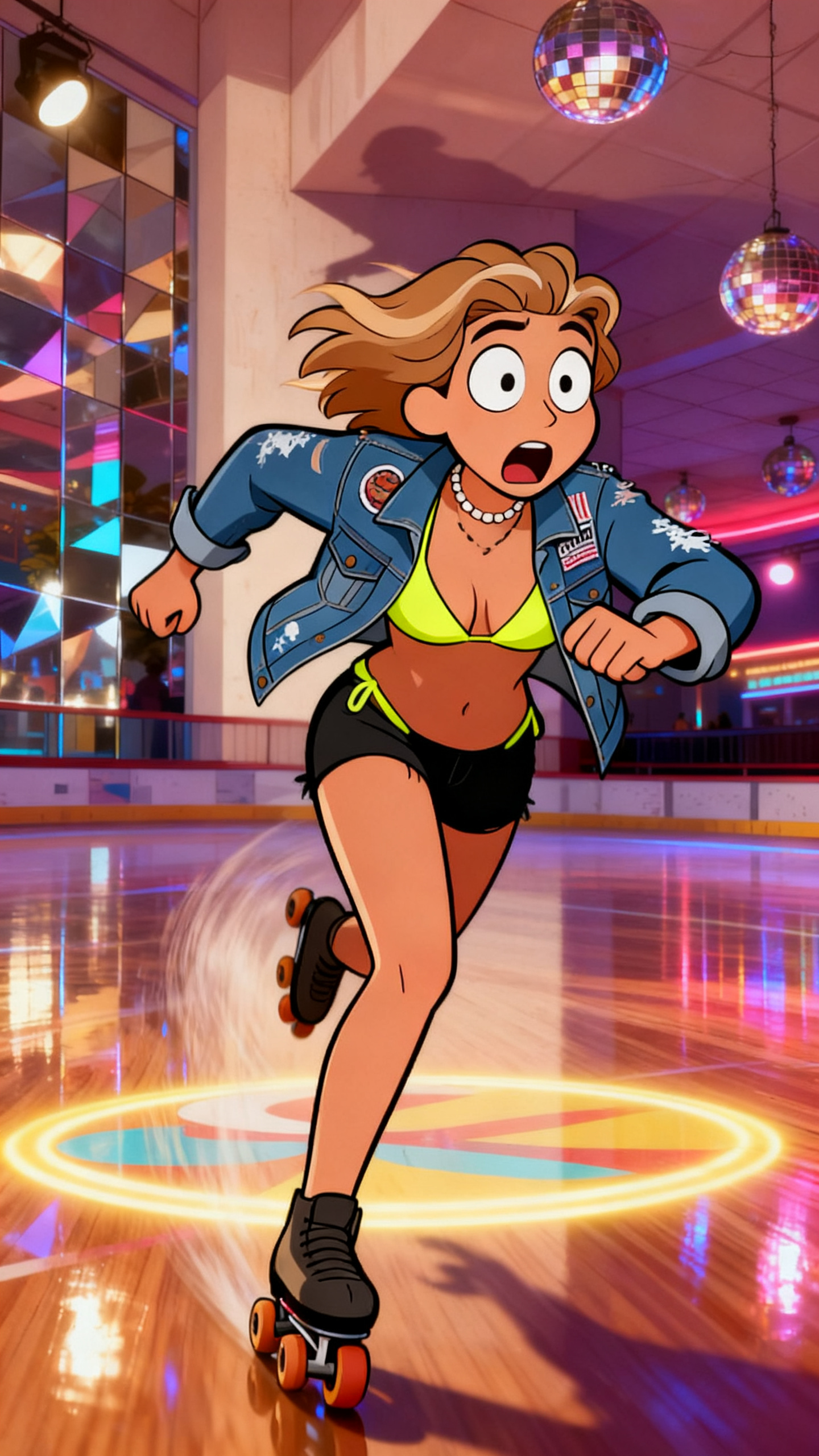
Vertical releases benefit from readable faces, simple silhouettes, and important action near the center.
Start a video, select the intended aspect ratio, and direct every storyboard composition for its real publishing destination.
Start a music video