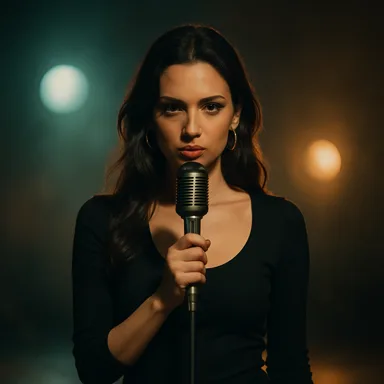
Creating an AI music video is not just one prompt. A good result starts with the song, then turns the lyrics and timing into a visual plan.
AIMusicVideo is built around that workflow: upload or import a song, choose a visual theme, pick a destination or scene world, generate storyboard frames, create scene clips, then combine the final MP4.
Start With the Song Structure
The strongest AI music videos follow the natural shape of the track. The intro, verse, chorus, bridge, and outro should not all look the same.
Before generating scenes, map the song into visual beats. A verse can use close-ups and quiet movement. A chorus can use wider shots, brighter lighting, and faster motion. A bridge can move to a new sub-location inside the same story world.
- Intro: establish the world before the first lyric.
- Verse: show the protagonist, location, and emotional tension.
- Chorus: make the visual payoff bigger and easier to remember.
- Outro: resolve the story or leave a final iconic image.
Choose a Theme and Destination
A theme controls the look: cinematic music video, stage performance, neon noir, Y2K club energy, cartoon character in a real scene, fashion editorial, and more. A destination controls where the video happens: Tokyo crosswalk, Eiffel Tower, spaceship cockpit, warehouse rave, beach night drive, or a custom scene idea.
The trick is combining both. Instead of asking for a generic singer, build a visual recipe that feels like a real music video concept.
Generate Storyboard Frames First
A finished music video needs continuity. Storyboard frames let you inspect the look before spending credits on scene video generation.
Use the first storyboard pass to answer simple questions: does the character look right, does the location match the song, is the text readable, and does the scene flow make sense from one beat to the next?
Turn Approved Frames Into Scene Clips
Once the images feel right, generate short video clips for each scene. This is where the camera movement, performance energy, and lyric timing start to feel alive.
If one scene misses, remix that scene instead of rebuilding the whole video. This keeps the project controlled while still letting you experiment.
Combine the Final Music Video
After the scene clips are ready, the final combine step stitches the clips into one MP4 with the song audio and timing. That final export is the version you can download, publish, or share.
The result is a complete song-to-video workflow instead of a folder full of disconnected AI images.
Keep exploring
Start now with the AI music video generator — free to try.
- Free tool: AI music video generator
- From a track: make a music video from a song
- Fun theme: AI arena fight video
Frequently asked questions
How do I make an AI music video from a song?
Upload your song, auto-generate lyric timing, build a storyboard of scenes around the vocals, preview the timeline, and export the finished video.
Is it free to make an AI music video?
Yes — you start free with one song-generation request and one complete storyboard with generated scene images, no credit card required.
What do I need to start?
Just a song — upload your own, generate one, or import a track URL.
Example videos
Finished theme music videos — click a card to watch.
 Video
Video
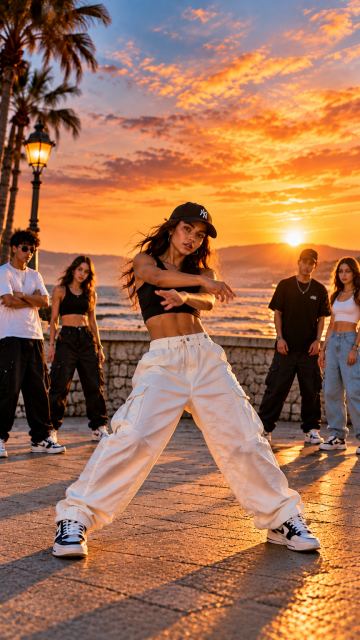
Create a dynamic vertical 9:16 street dance music video using the uploaded images as visual references. Show a group of young street dancers performing synchronized hip-hop choreography with confident, energetic movements. Animate the dancers naturally, with coordinated arm movements, footwork, body grooves and rhythmic steps. **Editing and synchronization:** - Synchronize all movements, cuts and transitions precisely to the beat of the music. - Change scenes every 2–4 seconds, varying the timing according to the rhythm and musical energy. - Alternate between wide shots showing the entire dance crew and closer shots highlighting the dancers. - Use smooth camera movements, subtle push-ins, tracking shots and occasional dynamic zooms. - Use each uploaded image as a different scene or visual reference. Alternate locations and camera angles to keep the video visually interesting. - Introduce faster cuts and more energetic movements during strong beats, drops and musical accents. - Use clean, seamless transitions that follow the rhythm. - Maintain consistent character appearances, outfits and overall street dance style throughout the video. - Keep the dancers fully visible whenever possible, especially their feet, so the choreography is clear. - No static slideshow, no frozen poses, no random movements, no excessive visual effects, no text or subtitles. The final result should feel like a professionally edited, high-energy street dance music video for TikTok, YouTube Shorts and Instagram Reels, with natural motion, synchronized choreography and rhythmic scene changes
 Video
Video
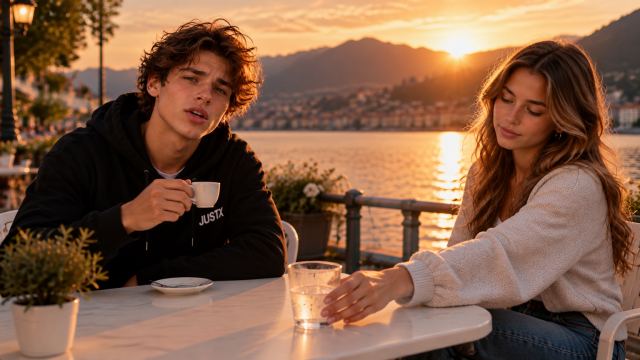
Create a cinematic photorealistic music video for “Want You, Hate You” by JustX set in Lugano, Switzerland. CAST ROLES & CONTINUITY: - JustX is the LEAD SINGER: he sings the lyrics on camera with accurate, expressive lip sync in all singing close-ups and medium shots. - Lea is a NON-SINGING actor: she appears as his love interest, reacting naturally with closed lips, never singing. - Lock both characters' facial identities, hairstyles and outfits (JustX: black hoodie/jeans; Lea: light knit top/jeans) throughout the entire film. LOCATIONS: A summer evening in Lugano across 7 locations: 1) Lakeside outdoor café terrace, 2) Piazza della Riforma with teenage friends, 3) Blue concrete skatepark, 4) Parco Ciani red park benches, 5) Pebble beach with Monte San Salvatore view, 6) Lakeside wooden deck with fairy lights, and 7) Modern glass-roof lounge bar at night. STORYLINE & ARC: Begins with warm attraction between JustX and Lea at the café. Within their friend group, Lea alternates between closeness and emotional distance. During the choruses, JustX starts to walk away, hesitates, and returns to Lea on the lakeside deck. At the bridge, he reflects alone by the dark lake. In the final chorus (3:02+), he makes a definitive decision: he places his hand on his chest, turns his back, does NOT return to Lea, and walks toward his smiling friends. He chooses self-respect. STYLE (van Boorg Motion World): Premium, natural, emotionally authentic, subtle 80s/90s cinematic film warmth with modern youth styling. Eye-level camera, intimate close-ups, no luxury clichés or kitsch
 Video
Video
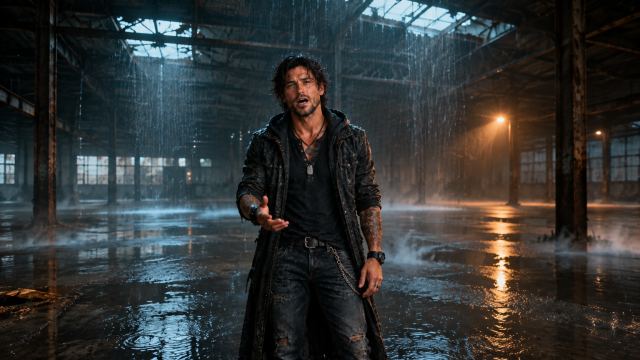
Mason is the lead character in a cinematic, emotional music video set primarily in and around an abandoned warehouse during a heavy rainstorm and violent thunderstorm. The warehouse represents the empty, isolated space inside his mind. It should feel dark, atmospheric, gritty, and realistic, with dramatic lighting, shadows, wet floors, broken windows, distant thunder, rain outside, and a constant sense of loneliness and pressure. This is a story about a man fighting the relentless noise inside his own head. Mason appears tough on the outside, but internally he is emotionally exhausted, overwhelmed, and constantly battling racing thoughts, memories, fears, and questions he cannot shut off. Throughout the video, Mason moves through the abandoned warehouse alone while the storm rages outside. The thunderstorm should feel like an extension of his mental state, as if the chaos in the sky reflects the chaos in his mind. At first the emotion is quieter and more controlled, but as the song builds, the pressure insi
 Video
Video
Create a warm, playful 3D animated music video for this Greek children's reggae song about making koulourakia cookies. The reference images show the SAME TWO CHILDREN throughout one continuous story: a brown-haired boy in a turquoise shirt and mustard trousers, and a brown-haired girl in a yellow shirt and coral-pink trousers. Both wear cream aprons branded “ΝΕΑ ΠΑΙΔΙΚΑ”. White chef hats are worn during the kitchen scenes only. Match their faces and clothing to the references. Follow this story in chronological order: 1. In the kitchen, both children knead dough, roll dough ropes on the worktop and shape cookie rings. Their hands stay at worktop level. They smile and gently sway to the reggae rhythm while working. 2. Show a clear baking transition: a close-up of the tray inside the oven, with pale dough rings becoming golden-brown baked cookies. Keep the children away from hot trays. 3. The baked cookies have cooled and are placed in the basket. The children walk naturally through the sunny neighbourhood, carrying the basket steadily. 4. They meet the three adults shown in the final reference: the elderly woman with glasses, the woman in green and the bearded man in blue. The girl offers a golden baked cookie to the elderly woman while the boy holds the basket. Everyone responds with warm, natural gestures. RAW DOUGH IS FOR SHAPING ONLY. During every preparation scene, nobody eats, tastes, licks fingers or brings dough towards their face. Eating is allowed only after the explicit baking and cooling transition, using clearly golden-brown baked cookies. Use visible, natural movements at normal speed, with relaxed reggae swaying and gentle knee bends. Keep hands occupied correctly during baking and carrying. Give each action enough screen time to finish. One main action per shot. Alternate clear medium shots with close-ups of the baking actions. Preserve character identity, object continuity and the apron branding
 Video
Video
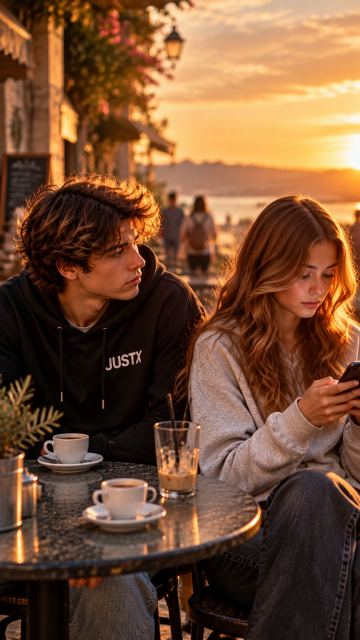
Create a 16-second cinematic vertical music video for JustX — “WANT YOU, HATE YOU”. The emotional DNA is the painful contradiction between desire and rejection: he wants her close, but her mixed signals hurt him. SETTING: A Mediterranean small-town urban hangout at sunset, warm golden light, authentic youthful atmosphere. 0–5 SECONDS: JustX, wearing his black hoodie, sits beside the girl. He looks at her with genuine attraction and hope. She smiles at him, creating a brief feeling of closeness. 5–10 SECONDS: Her expression changes. She turns away and looks at her phone instead of him. JustX notices. He wants to say something but holds back. The emotional distance between them suddenly feels greater than the physical distance. 10–16 SECONDS: She rises and walks a few steps away, seen from behind. JustX remains seated, watching her leave. For one brief moment she looks back at him, leaving him uncertain whether she still cares. End on JustX's conflicted close-up: longing, hurt and restrained frustration in his eyes. VISUAL STYLE: Realistic cinematic music-video aesthetic, expressive eyes, subtle natural movements, warm sunset rim light, shallow depth of field, smooth camera movement, emotionally precise acting. Keep JustX recognizable and consistent with the selected reference. Keep the girl consistent with the reference. No exaggerated crying, no aggressive confrontation, no fantasy effects, no text overlays, no logos. The ending must feel unresolved, capturing the addictive push and pull of wanting someone who keeps hurting you
 Video
Video
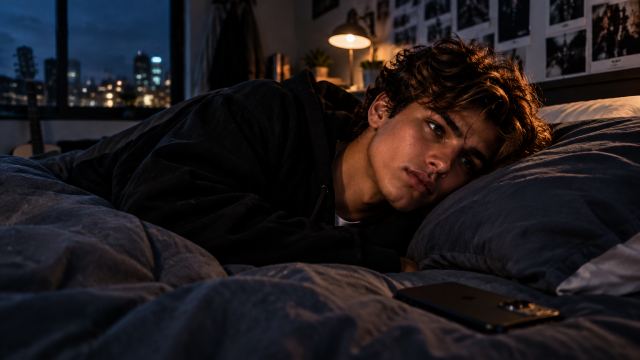
Create a cinematic narrative music video for JustX and SEEN. JustX is the ONLY main artist and protagonist. Keep the attached @ref1 identity consistent throughout: same youthful face, dark structured hair, warm brown/hazel eyes, natural skin, youthful proportions and recognizable appearance. Never replace, age, mature or redesign him. CORE STORY: Being left on “seen” → waiting → overthinking → memories → emotional distance → self-doubt → self-realization. The smartphone represents the present and the need to be seen. Reflections represent self-perception. Memories feel warmer and softer than the present. By the final chorus, JustX puts the phone away and stops waiting for someone else to choose him. Emotional resolution: “Ora finalmente vedo me.” VISUAL WORLD: High-end cinematic realism, intimate coming-of-age film, natural skin, shallow depth of field, subtle film texture. Palette: midnight, navy, graphite, stone, cream with restrained warm highlights. Locations: JustX's bedroom at night, window reflections, quiet streets, night city, rooftop, intimate memory spaces and early morning. Use recurring motifs: smartphone glow, seen message, reflections, window glass, photographs, headphones and finally the phone left behind. STORY FLOW: Intro — establish JustX awake at night. Verse 1 — message, seen status, waiting and repeated phone checking. Chorus — emotional escalation and overthinking. Post — screen and reflection imagery. Verse 2 — memories of the person and shared moments. Pre-chorus — return to reality and growing distance. Second chorus — JustX moves through the night city. Bridge — turning point: he realizes he does not need the other person to choose him. Final chorus — he puts the phone away and begins to see himself differently. Outro — quiet morning and emotional self-worth. Create approximately 28–30 coherent cinematic scenes across the full song. Use meaningful visual beats, not one scene per lyric line. Verses are intimate and observational; choruses open the visual space; the bridge is the emotional turning point; the final chorus resolves the story. Use varied cinematic camera language: close-ups, medium shots, environmental wides, reflections and controlled movement. Avoid repetitive walking shots. Do NOT create cyberpunk, futuristic interfaces, fashion-editorial, glossy influencer, boy-band, childish or generic AI music-video aesthetics. Do not introduce random characters or unrelated locations. Keep JustX visually consistent
 Video
Video
Create a lively, high-energy music video for the full uploaded audio segment. Preserve the reference children's faces, hairstyles, Halloween costumes and colorful 3D animation style. Keep the entire video in one Halloween town square with glowing pumpkins, warm lanterns and a purple moonlit sky. A fixed sign behind the dancers reads exactly "ΝΕΑ ΠΑΙΔΙΚΑ". All children dance standing on the ground, spaced apart, with the wizard boy in the center. Perform a playful Harlem Shake with strong shoulder shakes, alternating arm pumps, bouncy knees, quick side steps and funny torso wiggles. Follow the music's rhythm, with cheerful expressions and energetic full-body movement from beginning to end. Develop the dance through different combinations and natural transitions. Each child has a playful variation while sharing the same pulse. Bodies must actively dance throughout every shot; avoid frozen poses and endlessly repeated short loops. Use mostly full-body group shots, with a few smooth cuts to smaller groups on musical accents. Keep the choreography clearly visible. Finish with everyone dancing energetically together. Maintain the same characters and costumes throughout. Keep anatomy stable and feet grounded. No flying, acrobatics, slow motion or unrelated scenes
 Video
Video
Create a lively, high-energy music video for the full uploaded audio segment. Preserve the reference children's faces, hairstyles, Halloween costumes and colorful 3D animation style. Keep the entire video in one Halloween town square with glowing pumpkins, warm lanterns and a purple moonlit sky. A fixed sign behind the dancers reads exactly "ΝΕΑ ΠΑΙΔΙΚΑ". All children dance standing on the ground, spaced apart, with the wizard boy in the center. Perform a playful Harlem Shake with strong shoulder shakes, alternating arm pumps, bouncy knees, quick side steps and funny torso wiggles. Follow the music's rhythm, with cheerful expressions and energetic full-body movement from beginning to end. Develop the dance through different combinations and natural transitions. Each child has a playful variation while sharing the same pulse. Bodies must actively dance throughout every shot; avoid frozen poses and endlessly repeated short loops. Use mostly full-body group shots, with a few smooth cuts to smaller groups on musical accents. Keep the choreography clearly visible. Finish with everyone dancing energetically together. Maintain the same characters and costumes throughout. Keep anatomy stable and feet grounded. No flying, acrobatics, slow motion or unrelated scenes
Example characters and storyboard frames
Theme characters from the AIMusicVideo.com gallery.
 Frame
Frame
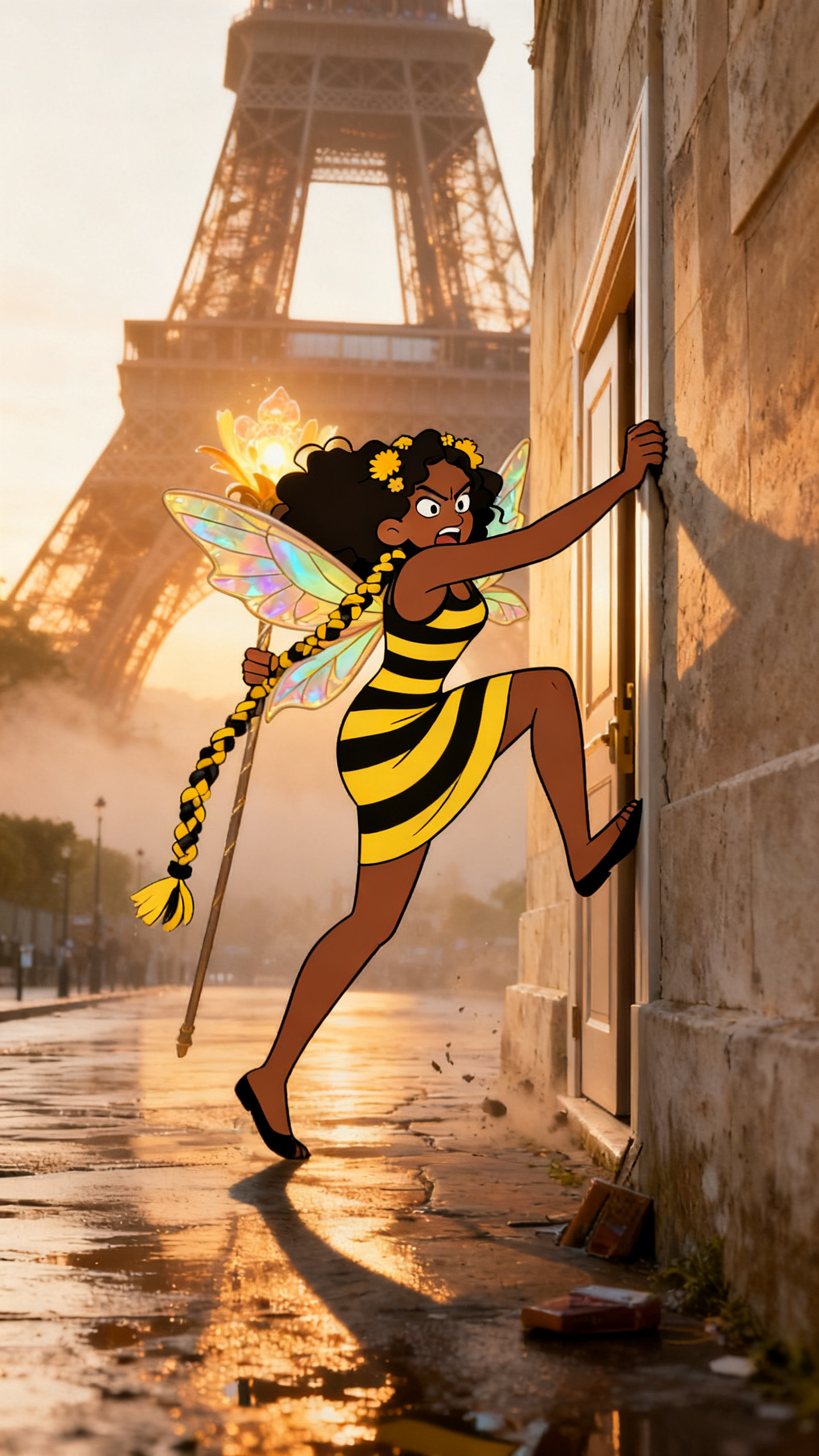
A storyboard frame from a character-led video, using a real Paris scene as the destination.
 Frame
Frame
A live-stage example showing how performance locations create usable shots for a full song.
 Frame
Frame
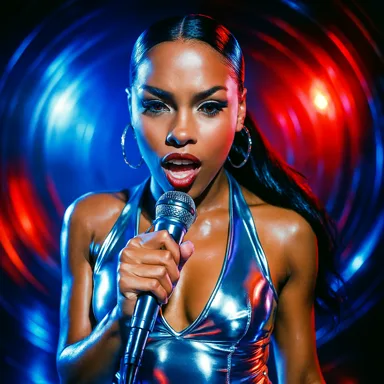
A bright, glossy theme example built for club, pop, and rap-style videos.
Upload your song and let the timeline guide your storyboard from start to finish.
Upload your song