
Character consistency is not one magic prompt. It is a production discipline: use a strong identity reference, keep the stable traits explicit, vary only what the shot needs, and review continuity before animation. Apply these checks while following the full song-to-video production workflow.
AIMusicVideo keeps the selected character or reference image connected to the storyboard so each scene begins from the same identity anchor.
Choose one clean identity anchor
Start with a front-facing or three-quarter reference where the face, hair, silhouette, and core wardrobe are easy to read. Avoid a tiny full-body subject, heavy motion blur, multiple people, or lighting that hides the defining features.
If a project needs several outfits, establish each wardrobe change deliberately instead of letting the model improvise clothing in every scene.
Separate fixed traits from scene variables
Fixed traits describe who the performer is. Variables describe what changes for the shot.
- Keep fixed: face shape, skin tone, hair, age range, signature wardrobe, accessories, and overall rendering style.
- Change intentionally: pose, expression, camera distance, location, action, time of day, and lighting.
- Repeat only what matters: long prompts stuffed with changing details can dilute the identity anchor.
Plan continuity in the storyboard
Adjacent scenes should make visual sense even when the camera jumps. Watch screen direction, wardrobe, held objects, weather, and whether a location change has a story reason.
Use a wide shot, medium shot, and close-up as different views of the same beat rather than generating three unrelated character descriptions.
Test difficult scenes before the full batch
Start with scenes that stress identity: the widest shot, the strongest profile, the darkest lighting, and the most unusual action. If the character survives those tests, the simpler coverage is more likely to work.
Regenerate drifting storyboard frames before animation. Motion generation cannot reliably repair a face or wardrobe that is already wrong in the source image.
Review the clips as a sequence
A still frame may look convincing by itself but feel inconsistent beside the previous shot. Review clips in order and check the first and last frames around each transition.
Replace the weakest scene rather than changing the character anchor halfway through the project.
Frequently asked questions
Can AI guarantee a perfectly identical face in every scene?
No. A strong reference and controlled prompts improve consistency, but generative results can vary. Review and regenerate individual scenes that drift.
Should I repeat the full character description in every prompt?
Keep the stable identity traits available, but avoid burying them under unnecessary changing details. Let each scene prompt focus on action, framing, and environment.
When should I animate a storyboard frame?
Animate it after the face, wardrobe, composition, and surrounding sequence work as still images. Fixing continuity earlier avoids wasting video generations.
Example videos
Finished theme music videos — click a card to watch.
 Video
Video
Authentic, cinematic, shot on 35mm film (Kodak Portra 400), contemporary Italian emotional pop. The story follows young Gino and Luna in a modern, romantic Italian summer. Both are main characters and both sing. Visual Arc & Dynamics: Start intimate and slow (Gino alone, introspective). Introduce movement and rhythm as the beat kicks in (walking through streets, riding a vintage scooter). At the chorus, the energy peaks (dancing in a golden-hour piazza, close-ups of them singing together). During the breakdown (September), the mood turns melancholic and stripped-back (empty streets, soft light). The final chorus explodes with emotional release (rooftop party, sunset, pure joy). Styling: Gino wears a loose white linen shirt and dark trousers. Luna wears a flowing cream maxi dress. Style: No posed looks, focus on intimate, unposed moments. Real emotions, slight film grain, natural imperfect details (spilled wine, messy hair, genuine laughter). Warm golden hour lighting, deep shadows, Mediterranean atmosphere. The mood is youthful, sensual, energetic, and unforgettable
 Video
Video
CREATE A CINEMATIC, ULTRA-PHOTOREALISTIC SHORT FILM FOR THIS SONG. CORE STORY: This song is a serious warning and life lesson from the SELECTED MALE CHARACTER to the SELECTED FEMALE CHARACTER. The man sees that the woman is emotionally hurt because she trusts the wrong people too easily. He warns her not to believe everyone, not to be fooled by fake affection, not to become deeply attached to people who may hurt or deceive her, and to remove dishonest people from her life. The woman gradually understands his advice, recognizes the false people around her, distances herself from them, and becomes emotionally stronger by the end. IMPORTANT: The male and female characters are NOT a romantic couple. The man is a trusted person giving sincere advice and warning her. Do not create flirting, kissing, hugging, romantic intimacy, jealousy, or a love story between these two characters. CHARACTER LOCK: Use the EXACT SELECTED MALE CHARACTER and EXACT SELECTED FEMALE CHARACTER throughout the entire film. Never replace them with random actors. Their faces, facial structure, skin, eyes, hair, hairstyle, age, body proportions and overall appearance must remain IDENTICAL in every scene. Keep their main clothing consistent across consecutive scenes. Clothing may change ONLY when the story clearly moves to another day or an intentional flashback. Never randomly change hairstyle, beard, makeup, clothing or accessories. PERFORMANCE RULE: THIS IS A NARRATIVE FILM, NOT A PERFORMANCE MUSIC VIDEO. NO ONE sings the song. NO lip-sync. NO microphones. NO stage. NO band. NO instruments. NO concert. NO dancing. NO posing toward the camera like music-video performers. Characters behave like actors inside a serious feature film. Use subtle, realistic facial expressions, eye movement and body language. Avoid exaggerated crying, theatrical gestures or melodrama. STORY STRUCTURE: OPENING: Begin at night in a realistic modern city after light rain. Wet pavement reflects natural streetlights and passing traffic. The selected woman walks alone among other people. She looks emotionally exhausted and distracted, not dramatically crying. She checks her phone and sees messages connected to people who have disappointed or deceived her. Her expression quietly changes. The selected man notices her condition. He approaches calmly because he knows her and genuinely cares about her wellbeing. He sees that something is wrong. They stop somewhere naturally within the city environment and have a serious conversation. We do NOT hear dialogue. Their realistic expressions and body language tell the story while the song represents the man's advice to her. VERSE 1 — “Sorarlar sana derdin ne? / Toparlan, gel kendine / Olur olmazlar yine / Bak, üzerler seni”: Show the man calmly warning her and encouraging her to regain control of herself. The woman initially looks hurt, confused and emotionally tired. The man is serious but compassionate, never aggressive. He is essentially telling her: stop allowing unreliable people to hurt you. FIRST CHORUS — “İnanma, kanma / Sen de yanma / Dert edip kendine / Seviyor sanma”: Intercut their present conversation with SHORT, CLEAR FLASHBACKS showing why his warning matters. In flashbacks, show the woman previously trusting people who appear friendly and sincere to her face but behave differently when she is not watching. Show believable examples of false friendship and deceptive affection. A dishonest man may appear caring toward her but secretly behave differently around other people. Friends may smile with her and then gossip or mock her after she leaves. Do NOT turn the entire story into a simple cheating scene. The theme is broader: false affection, dishonest friends, unreliable people and misplaced trust. “YALAN, HEPSİ YALAN / SENİ KANDIRIRLAR”: Make this the first major emotional realization. The woman begins connecting the man's warning with what she has experienced. Her expression changes from confusion to painful understanding. Keep acting restrained and realistic. VERSE 2 — “Bu dertler ağır, işler içine / Herkes bakar geçmişine / Sevme sakın böylesine / Kapılma kimseye delicesine”: Later, show the woman alone in a quiet realistic environment reflecting on her past. She reviews old messages, photographs or memories. Use brief flashbacks of moments when she trusted people too deeply. Contrast apparently happy memories with subtle evidence that those relationships were not as genuine as she believed. The visual message must be: becoming blindly attached to people can leave deep emotional wounds. SECOND CHORUS: Return to the man's advice through visual memory while the woman begins making decisions for herself. She no longer simply suffers. She starts understanding which relationships are unhealthy and dishonest. VERSE 3 — “Çıkar hayatından yabancıları / Gördüğün o büyük yalancıları / Çekme tekrar eden acıları / Çok büyük olur sancıları”: This is the turning point. Show the woman deliberately removing dishonest people from her life. She ignores or rejects manipulative messages, distances herself from fake friends, and calmly walks away from people she now recognizes as dishonest. No screaming confrontation. No physical fight. No exaggerated revenge. Her strength comes from quietly choosing to leave. If someone tries to stop or call after her, she continues walking without turning back. FINAL CHORUS: Visually contrast the beginning of the film with the ending. At the beginning she was walking at night, emotionally exhausted, looking downward. Now transition toward early morning. The woman walks confidently with her head raised. Her expression is calm, stronger and emotionally free. The selected man sees her again from a natural distance. They make brief eye contact. He gives a subtle approving expression or small nod, showing that she understood his advice. She may respond with a very subtle natural smile, then continues on her own path. IMPORTANT: The man does NOT follow her. He
 Video
Video
1. Intro (0:00-0:25): Extreme intimacy. Bree stands barefoot, eyes closed, feeling the morning breeze. The camera is locked, capturing her serene face and the gentle movement of her hair and dress. 2. Verse (0:25-0:55): She walks slowly along the shoreline, gently touching a black lava rock. The camera tracks her movement, showing the contrast between her soft dress and the rugged landscape. Eventually, a slow 180-degree camera arc reveals her face. 3. Chorus build (0:55-1:08): Epic wide drone shot. She stands small but grounded in the vast, breathtaking volcanic landscape, singing to the sky. 4. Hook (1:08-1:38): Magical intimacy. She stands waist-deep in the turquoise water, face-to-face with a wild, gentle dolphin that has surfaced right in front of her. They look into each other's eyes. No theme-park look, pure, silent connection. 5. Outro (1:38-1:52): Melancholic and fragile. She sits alone on the black lava rocks, looking down at a tiny purple flower in her hand. A single gentle wave washes over her bare feet. Pure, heartbreaking beauty. Do not use fast cuts. Keep it organic, slow-paced, and highly cinematic. No artificial glamour."
Video
CREATE A CINEMATIC, ULTRA-PHOTOREALISTIC SHORT FILM FOR THIS SONG. CORE STORY: This song is a serious warning and life lesson from the SELECTED MALE CHARACTER to the SELECTED FEMALE CHARACTER. The man sees that the woman is emotionally hurt because she trusts the wrong people too easily. He warns her not to believe everyone, not to be fooled by fake affection, not to become deeply attached to people who may hurt or deceive her, and to remove dishonest people from her life. The woman gradually understands his advice, recognizes the false people around her, distances herself from them, and becomes emotionally stronger by the end. IMPORTANT: The male and female characters are NOT a romantic couple. The man is a trusted person giving sincere advice and warning her. Do not create flirting, kissing, hugging, romantic intimacy, jealousy, or a love story between these two characters. CHARACTER LOCK: Use the EXACT SELECTED MALE CHARACTER and EXACT SELECTED FEMALE CHARACTER throughout the entire film. Never replace them with random actors. Their faces, facial structure, skin, eyes, hair, hairstyle, age, body proportions and overall appearance must remain IDENTICAL in every scene. Keep their main clothing consistent across consecutive scenes. Clothing may change ONLY when the story clearly moves to another day or an intentional flashback. Never randomly change hairstyle, beard, makeup, clothing or accessories. PERFORMANCE RULE: THIS IS A NARRATIVE FILM, NOT A PERFORMANCE MUSIC VIDEO. NO ONE sings the song. NO lip-sync. NO microphones. NO stage. NO band. NO instruments. NO concert. NO dancing. NO posing toward the camera like music-video performers. Characters behave like actors inside a serious feature film. Use subtle, realistic facial expressions, eye movement and body language. Avoid exaggerated crying, theatrical gestures or melodrama. STORY STRUCTURE: OPENING: Begin at night in a realistic modern city after light rain. Wet pavement reflects natural streetlights and passing traffic. The selected woman walks alone among other people. She looks emotionally exhausted and distracted, not dramatically crying. She checks her phone and sees messages connected to people who have disappointed or deceived her. Her expression quietly changes. The selected man notices her condition. He approaches calmly because he knows her and genuinely cares about her wellbeing. He sees that something is wrong. They stop somewhere naturally within the city environment and have a serious conversation. We do NOT hear dialogue. Their realistic expressions and body language tell the story while the song represents the man's advice to her. VERSE 1 — “Sorarlar sana derdin ne? / Toparlan, gel kendine / Olur olmazlar yine / Bak, üzerler seni”: Show the man calmly warning her and encouraging her to regain control of herself. The woman initially looks hurt, confused and emotionally tired. The man is serious but compassionate, never aggressive. He is essentially telling her: stop allowing unreliable people to hurt you. FIRST CHORUS — “İnanma, kanma / Sen de yanma / Dert edip kendine / Seviyor sanma”: Intercut their present conversation with SHORT, CLEAR FLASHBACKS showing why his warning matters. In flashbacks, show the woman previously trusting people who appear friendly and sincere to her face but behave differently when she is not watching. Show believable examples of false friendship and deceptive affection. A dishonest man may appear caring toward her but secretly behave differently around other people. Friends may smile with her and then gossip or mock her after she leaves. Do NOT turn the entire story into a simple cheating scene. The theme is broader: false affection, dishonest friends, unreliable people and misplaced trust. “YALAN, HEPSİ YALAN / SENİ KANDIRIRLAR”: Make this the first major emotional realization. The woman begins connecting the man's warning with what she has experienced. Her expression changes from confusion to painful understanding. Keep acting restrained and realistic. VERSE 2 — “Bu dertler ağır, işler içine / Herkes bakar geçmişine / Sevme sakın böylesine / Kapılma kimseye delicesine”: Later, show the woman alone in a quiet realistic environment reflecting on her past. She reviews old messages, photographs or memories. Use brief flashbacks of moments when she trusted people too deeply. Contrast apparently happy memories with subtle evidence that those relationships were not as genuine as she believed. The visual message must be: becoming blindly attached to people can leave deep emotional wounds. SECOND CHORUS: Return to the man's advice through visual memory while the woman begins making decisions for herself. She no longer simply suffers. She starts understanding which relationships are unhealthy and dishonest. VERSE 3 — “Çıkar hayatından yabancıları / Gördüğün o büyük yalancıları / Çekme tekrar eden acıları / Çok büyük olur sancıları”: This is the turning point. Show the woman deliberately removing dishonest people from her life. She ignores or rejects manipulative messages, distances herself from fake friends, and calmly walks away from people she now recognizes as dishonest. No screaming confrontation. No physical fight. No exaggerated revenge. Her strength comes from quietly choosing to leave. If someone tries to stop or call after her, she continues walking without turning back. FINAL CHORUS: Visually contrast the beginning of the film with the ending. At the beginning she was walking at night, emotionally exhausted, looking downward. Now transition toward early morning. The woman walks confidently with her head raised. Her expression is calm, stronger and emotionally free. The selected man sees her again from a natural distance. They make brief eye contact. He gives a subtle approving expression or small nod, showing that she understood his advice. She may respond with a very subtle natural smile, then continues on her own path. IMPORTANT: The man does NOT follow her. He
Example characters and storyboard frames
Theme characters from the AIMusicVideo.com gallery.
Frame
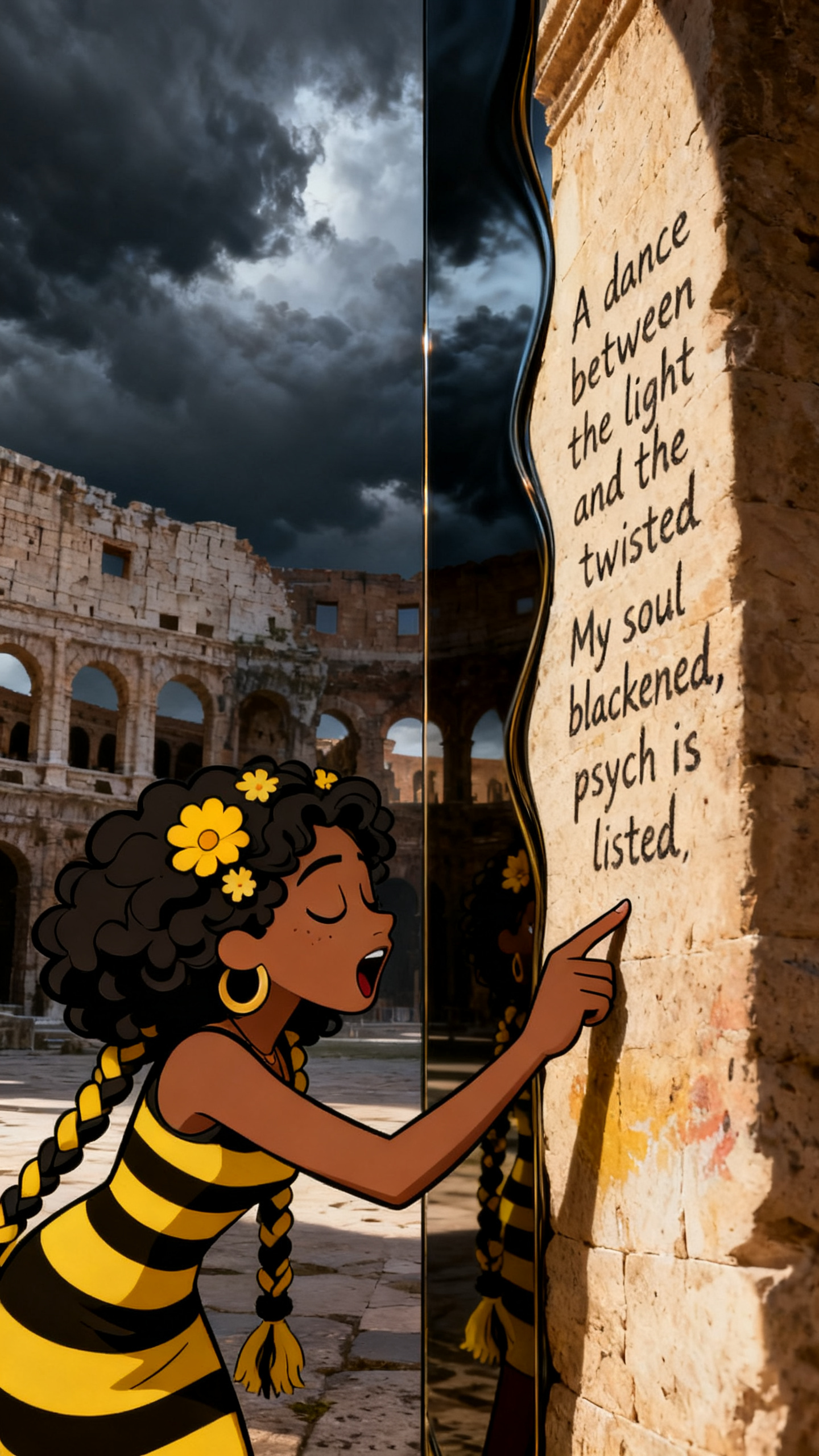
A specific recurring character can remain the subject while the real-world destination changes the shot.
 Frame
Frame
Wardrobe, silhouette, facial anchors, and rendering style matter when weather and lighting change.
 Frame
Frame
Wide shots still need recognizable color, clothing, proportions, and character placement.
 Character
Bleach Bypass
 Character
 Character
Synth 80s stage
 Character
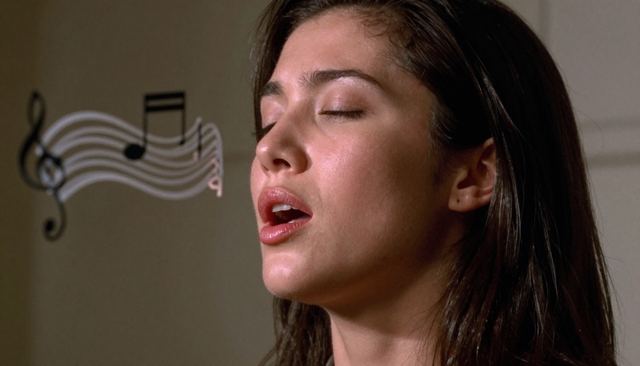
Vocal Light Sculpture
 Character
Toy / Action Figure
 Character
Spaghetti Western
 Character
3D Collectible Figure
 Character
3D Rendering
 Character
Puppet
 Character
Anime
 Character
 Character
Create or select a performer, attach the reference to the storyboard, and test the hardest scenes first.
Create a character